
Introducing a new view for Citations
Every source behind your Word, PowerPoint, and Excel outputs in Capsa now lives in a refreshed panel beside the page.
Citations and the highest standard of traceability have always been a part of how Capsa works. Every figure, quote and claim in every output links back to the material it came from. What we've refreshed is how you see them, and how far they travel.
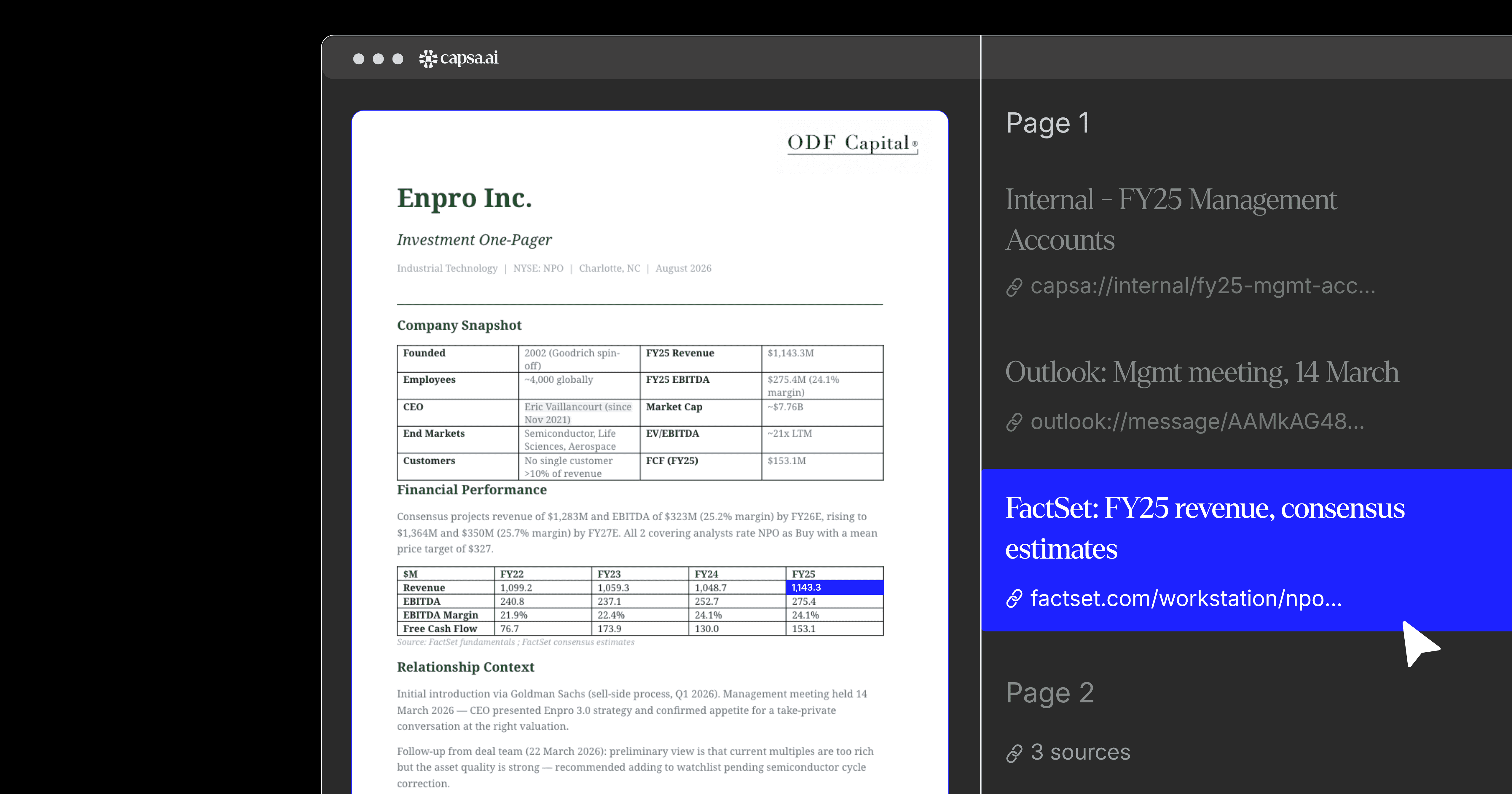
A panel beside every page
The refreshed Citations view sits alongside your document, deck, or spreadsheet output in Capsa, listing every source behind the page you're reading. Each one is clickable. The relevant Outlook thread, the SharePoint file behind a contract term, the FactSet series behind a multiple, the web page highlighting a market figure. Click through and you're instantly looking at the original.
Citations are grouped by page, so a longer document stays navigable. Select a citation in the text and the panel highlights the matching source. Select a source in the panel and you can open it directly in the system it lives in.
It changes how easily questions about a draft get answered. An IC memo puts sector comparables at 11.4x, and two weeks later someone asks where that multiple came from. The answer is an even quicker click away.
Sources that survive the export
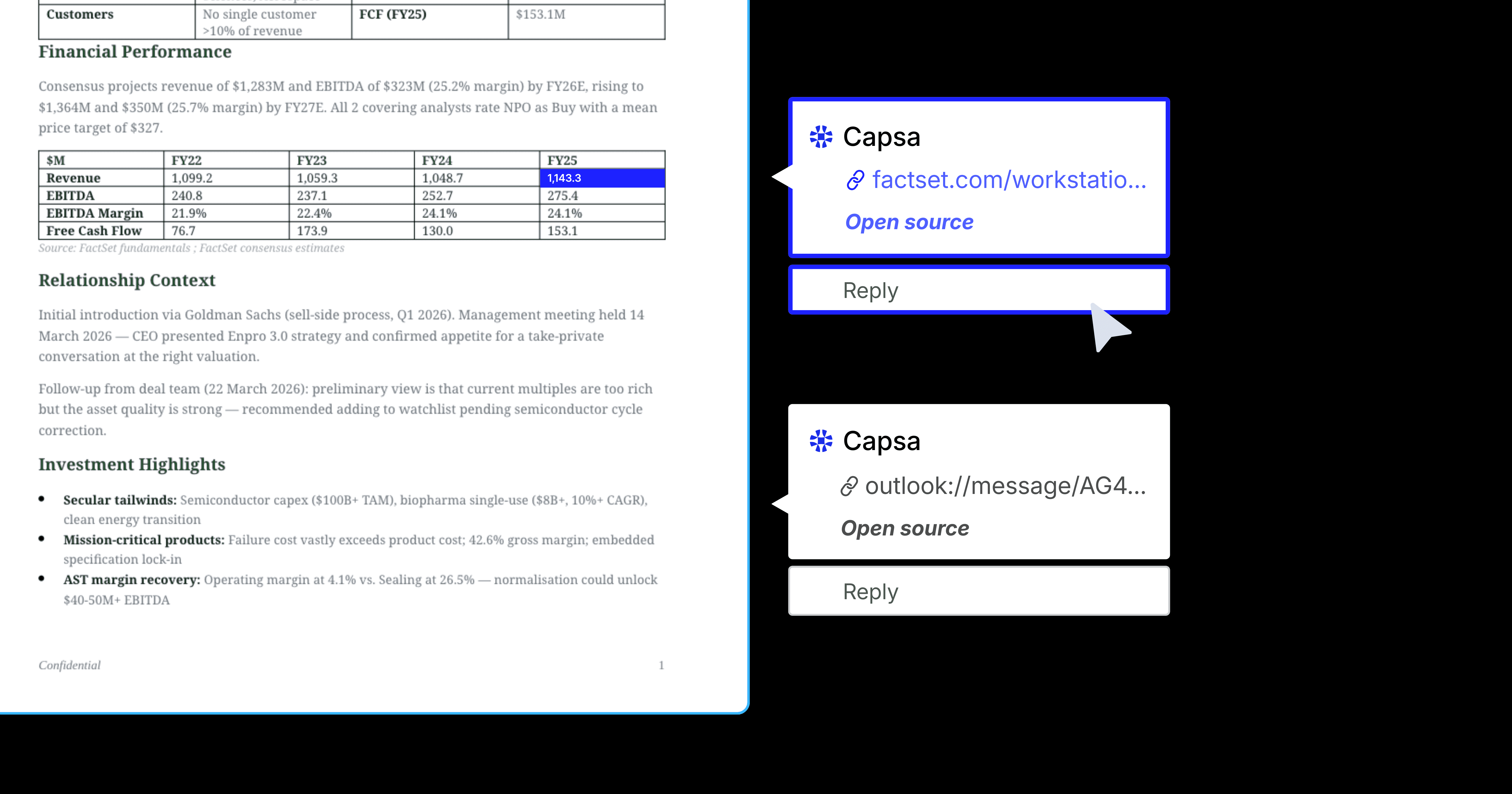
Citations travel further now, too. When you export a document from Capsa, the Word, Excel, or PowerPoint file preserves its sources as native comments, anchored to the figures and passages they support.
That matters in both directions. If you come back to your own file next week and a number looks unfamiliar, the source is sitting in the margin. And when the file goes to a colleague, the sourcing goes with it. They can check anything in your exported output against its origin without having to search for the Capsa thread it came from.
The version you share is as sourced as the one you created.
Available now
The refreshed Citations view is live across the platform, and exported Word, Excel, and PowerPoint files now carry their citations as comments. Try it out now in Capsa.